Mini Militia Old Version
Mini Militia Old Version
Mini Militia Old Version is a classic Android shooting game that is known for its fast battles, simple controls, and fun 2D gameplay. You control a small soldier, move around different maps, and collect weapons, and you can also fight against opponents. The jetpack also has another unique part of the gameplay, allowing you to fly, escape attacks, and reach different areas of the map. Because of its simple design and quick matches, the game remains popular among players who enjoy classic mobile shooters.
Mini Militia Overview
The Mini Militia is mainly searched by players who want to experience the earlier style of the game. Older releases focus on straightforward shooting, movement, weapons, jetpack action, and also multiplayer battles without adding too many complicated systems. In addition, some players also look for these versions because they use older Android phones or simply prefer the classic gameplay. However, compatibility and available features can vary depending on the version you choose.
Mini Militia Mod APK Information
| Information | Details |
|---|---|
| Game Name | Mini Militia |
| Full Name | Doodle Army 2: Mini Militia |
| Category | Action / Shooting |
| Platform | Android |
| Game Type | 2D Shooter |
| Controls | Touch Controls |
| Graphics | 2D Cartoon Style |
| Weapons | Guns, Grenades & Special Weapons |
| Jetpack | Yes. |
| Multiplayer | Available in Supported Versions |
| Offline Play | Available in Supported Modes |
| Installation | APK |
| Price | Free |
What Is Mini Militia Old Version?
Mini Militia Old Version is an earlier release of the Doodle Army 2: Mini Militia game. It offers the older style of gameplay that many players remember from their early Android gaming days. The game puts you inside a small 2D battle area. You control a soldier and try to defeat your opponents. During the match, you can move around, find weapons, shoot enemies, and use the jetpack.
The game also has different maps and weapons. So, even though the basic idea is simple, matches can become quite active. You may need to move quickly, hide behind objects, change your position, or use the jetpack to avoid an attack. The old version is especially interesting for players who do not want a modern or complicated shooting game. It keeps the focus on the actual match.
Why Do People Still Look for Mini Militia?
The main reason is the classic gameplay. Many players started playing Mini Militia years ago. They remember the old controls, maps, weapons, and multiplayer matches. Therefore, they search for an older version when they want to play the game in a familiar way again. Another reason is simplicity. Modern mobile games can have large downloads, detailed graphics, many menus, and several extra systems. Mini Militia has a much simpler setup.
The game is also suitable for short sessions. Users can play a few matches when they have free time without needing to spend a long time building a character or completing missions. Older Android users may also be interested in the game. Some old releases have lower system requirements than newer games. However, compatibility still depends on the exact version and phone.
Key features of Mini Militia Mod APK
Simple 2D Gameplay
Mini Militia old version have a simple 2D style that keeps the action easy to follow. You control your soldier, move around the map, pick up weapons, and attack other players. The cartoon-style graphics are not heavy, so the screen stays clear even when several things are happening at once. This straightforward design is also a big part of the classic feel of the game.
Easy Touch Controls
The controls are simple enough to understand after a few minutes of playing. One side of the screen is used to move your soldier, while the other helps you aim and fire. You can move, aim, and shoot during the same fight. Once you get used to the controls, switching direction and attacking an opponent feels much more natural.
Jetpack Movement
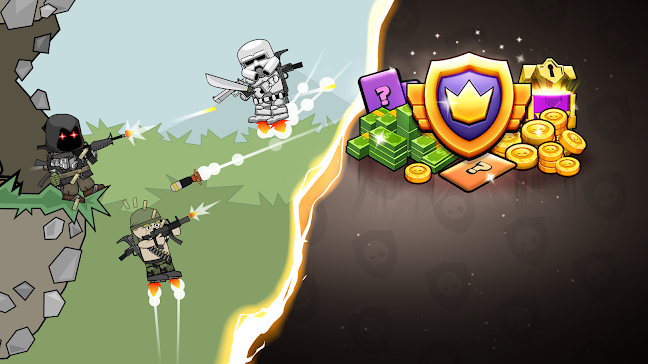
The jetpack adds another layer to the gameplay. You can lift your soldier into the air, cross gaps, reach higher spots, or quickly move away from an attack. It is useful during both exploration and combat. However, the fuel is limited, so using it at the right moment can make a real difference in a close fight.
Different Weapons
Weapons give each battle a little more variety. Depending on what you find, you can attack from close range or keep some distance from your opponent. Grenades can also help when an enemy is hiding behind cover. Trying different weapons is a good way to learn which ones suit your playing style.
Multiplayer Battles
Playing with friends is one of the features that made Mini Militia popular. Multiplayer matches let you compete against other players instead of fighting alone. You can move around the same map, collect weapons, use the jetpack, and try to stay ahead of your opponents. The exact multiplayer options can vary between older version.
Offline Gameplay
Offline play gives you a way to enjoy the game without being connected to the internet, where supported. It can also be useful when you are still learning the controls. You can practice movement, aiming, shooting, and jetpack control before taking part in a multiplayer battle.
Simple Maps
The maps are designed around movement and combat rather than complicated exploration. You can use walls and other areas for cover, move through open spaces, and use the jetpack to reach different positions. After a few matches, the layout of a map becomes easier to remember, which can help you decide where to move during a fight.
Quick Matches
Mini Militia mod APK is easy to pick up when you only have a short amount of free time. There is no long preparation before a match. You can start the game, choose a suitable mode, and get into the action. As a result, it works well for quick gaming sessions as well as longer multiplayer sessions.
Mini Militia Old Version Gameplay
The gameplay is simple but requires quick movement. At the start of a match, you need to move around and find a useful weapon. Once you have a weapon, you can start attacking enemies. You should not stay in one place for too long. Other players can attack from different directions. Moving around can make it harder for them to hit you.
The jetpack also plays an important role. You can use it to move over obstacles or quickly change your position. A good player needs to control both shooting and movement. Simply having a strong weapon is not always enough. You also need to know when to move and when to attack. This simple gameplay is one of the reasons Mini Militia Old Version remains enjoyable.
Mini Militia Weapons
Weapons are an important part of every match. Different weapons can be useful in different situations. A close-range weapon can be useful when an enemy is nearby. A weapon with longer range can help when there is more distance between you and your opponent.
Grenades can be useful when an enemy is hiding. Instead of moving directly toward the enemy, you can use a grenade to force them out of a safe position. Learning the weapons does not take long. The best way is to try different weapons during normal matches. Over time, you will learn which weapons you prefer and when to use them.
Mini Militia Mod APK Jetpack
The jetpack is one of the features that makes Mini Militia mod APK different from many simple shooting games. It allows you to move through the air for a limited amount of time. You can use it to reach another platform, escape from an enemy, or attack from above. However, you should not waste the fuel. If the fuel runs out while you are in an unsafe position, you can become an easy target. Good jetpack control comes with practice. After playing several matches, you can learn when to fly and when to stay on the ground.
Mini Militia Multiplayer
Multiplayer is a major part of the classic Mini Militia experience. Playing against friends can make a simple match much more exciting. You can compete against each other, try different weapons, and use different parts of the map to your advantage. Local multiplayer was especially popular among players who wanted to play together without complicated setup. The exact multiplayer options depend on the version. Some old APKs may no longer have working online services, even if the game itself installs correctly.
Mini Militia Old Version Offline
Offline play can be useful when you do not have an internet connection. You can use supported offline modes to practice shooting and movement. It is also a good way to learn the maps before playing against other people. Offline gameplay does not require mobile data for the supported modes. However, online multiplayer is different. It needs an internet connection and working online services.
How to Download Mini Militia Old Version
Getting the Mini Militia Mod APK on your Android phone does not take much time. However, choose the right version first, especially if you are using an older device. Check the Android requirement and make sure your phone has enough free space. After that, follow these simple steps.
Step 1: Choose the Version
First, select the Mini Militia old version you want to use. Pick a release that matches your Android version.
Step 2: Check the Requirements
Before downloading, check the required Android version and the APK file size. This helps you avoid compatibility problems later.
Step 3: Download the APK
Tap the download button and let the APK file download completely. Keep the download page open until the file is saved on your phone.
Step 4: Open the Downloads Folder
Once the download finishes, open your phone’s Downloads folder. You should find the Mini Militia APK there.
Step 5: Check the Downloaded File
Make sure the APK file is completely downloaded before you try to install it. If the file is incomplete, the installation may not work properly.
How to Install Mini Militia mod APK
After downloading the APK, you can install it directly from your Android phone. The process is similar to installing other APK files.
Step 1: Open the APK
Go to the Downloads folder and tap the Mini Militia mod APK file.
Step 2: Allow Installation
If Android shows a security message about installing an app from an unknown source, open the required settings and allow installation for the app you are using.
Step 3: Start the Installation
Return to the APK file and tap it again. Now select Install and wait while Android sets up the game.
Step 4: Open the Game
When the installation is complete, tap Open or find Mini Militia in your app menu.
Step 5: Check the Game
Start the game and make sure it runs normally on your phone. If it does not install or crashes after opening, check whether the selected version supports your Android device.
Mini Militia Old Version for Low-End Android
Many people search for Mini Militia old version for low-end Android because they want a simple game that can work on an older phone. The 2D graphics and simple gameplay make the game less demanding than many modern 3D shooters. However, this does not mean every old version will work on every low-end phone. Performance depends on your RAM, processor, Android version and available storage. If your phone has limited RAM, close other apps before starting the game. Also, make sure there is enough free storage. Most importantly, check the Android requirement before downloading.
Mini Militia for Android 4.4
Some older Mini Militia releases can support Android 4.4 devices. If you are using Android 4.4, do not choose a version without checking its requirements first. An APK that needs a newer Android system may fail during installation. If one version does not work, another compatible release may be a better option.
Mini Militia Mod APK for Android 5.0
Android 5.0 users have more options when choosing an old Mini Militia Mod APK version. Several older releases can work on Android 5.0 or newer. Still, requirements can change between version. Before installing, check the version information and make sure your device has enough storage.
Mini Militia Old Version for Android 6.0 and Above
Older Mini Militia old version can also work on some newer Android phones. However, very old applications can sometimes have problems on modern Android systems. The game may install but crash when you open it.
If this happens, try a different old release that has better compatibility with your device. You do not always need the oldest version. A slightly newer old release may provide a better balance between classic gameplay and compatibility.
Mini Militia Old Version vs New Version
Old and newer versions can provide different experiences. The old version is mainly focused on the classic gameplay that longtime players remember. Newer versions can include updated features and better support for modern phones.
| Feature | Old Version | Newer Version |
|---|---|---|
| Classic Gameplay | Yes | May Differ |
| Simple Controls | Yes | Yes |
| Jetpack | Yes | Yes |
| Classic Feel | Yes | Depends on Release |
| New Updates | No | Yes |
| Modern Compatibility | May Be Limited | Usually Better |
| New Features | Limited | More Likely |
The choice depends on what you want. If you want the older gameplay style, an old version may be more suitable. If your main concern is modern compatibility, a newer release may work better.
Mini Militia for PC
Mini Militia was made for Android, but some players may want to play it on a Windows PC.
To do this, an Android emulator can be used. The emulator creates an Android environment on the computer where compatible APK files can be installed.
- First, install a trusted Android emulator on your PC.
- Then open the emulator and install the Mini Militia APK through its available APK installation option.
- The controls can feel different on a computer because you are using a keyboard and mouse instead of a touchscreen.
Performance also depends on your PC hardware and the emulator you choose.
Mini Militia mod APK for Android TV
Mini Militia mod APK is mainly designed for Android mobile devices. However, some Android TV devices may support Android applications. If you want to use it on a TV, compatibility depends on the Android TV version, controls, screen layout and the game version. A normal phone touch interface may not feel the same when using a remote control. A game controller can be more useful if the device supports it.
Pros and Cons
Pros
- Simple and easy controls
- Classic 2D shooting gameplay
- Fast matches
- Jetpack movement
- Different weapons
- Fun multiplayer experience
- Offline modes in supported versions
- Can work on some older Android devices
- Good for short gaming sessions
Cons
- Very old versions may have compatibility issues
- Multiplayer may not work on every release
- Old versions do not receive current updates
- Some versions may not work properly on new Android systems
- Features can differ between releases
Things to Check Before Installing
Before installing Mini Militia Old Version, check the Android requirement.
This is especially important if your phone is very old or very new. Also, check the file size and make sure you have enough storage.
If you already have a different Mini Militia version installed, remember that installing another version may cause a conflict.
If you have important game data, keep a backup before removing or replacing an existing installation.
It is also better to use the original APK when you want the normal classic experience. Modified versions can change the game and may behave differently.
FAQs
Is Mini Militia Old Version Free?
it has been available as a free game. However, features can vary between different releases.
Can I Play Mini Militia Old Version Offline?
Yes, supported versions provide offline gameplay options. Online multiplayer requires an internet connection.
Can I Play Mini Militia mod APKWith Friends?
Yes. Multiplayer is available in supported versions. The available multiplayer features depend on the release.
Does Mini Militia Old Version Have Different Weapons?
Yes. Players can use different guns, weapons, and grenades during matches.
Can Mini Militia Run on a Low-End Phone?
Some old versions can run on low-end Android phones. However, performance depends on the phone and the specific version.
Why Is My Mini Militia mod APK Not Installing?
The APK may not support your Android version. It can also happen if the file is incomplete or damaged.
Why Does Mini Militia Old Version Crash?
A very old application may not work correctly with a newer Android system. Trying another compatible version can help.
Can I Play Mini Militia on PC?
Yes. You can use an Android emulator to run a compatible Android version on a Windows PC.
Can I Play Mini Militia mod APK on Android TV?
It may work on some compatible Android TV devices, but the experience depends on the device, controls, and Android version.
Does Mini Militia Old Version Need Internet?
Offline modes do not need internet. Online multiplayer and other online features require an internet connection.
Final Words
Mini Militia Old Version keeps the game simple. You get quick shooting battles, easy controls, different weapons, jetpack movement, and multiplayer gameplay in supported releases. The old version is mainly useful for players who want the classic experience or need a release that works with an older Android phone. At the same time, very old versions can have compatibility and multiplayer problems.
Before downloading, check the Android requirement, version number, and available storage. Then choose the release that fits your device. Once it is installed correctly, you can enjoy the simple shooting gameplay, move around the maps, use the jetpack, and get back into the classic Mini Militia experience.